Review and shortlist applicants using evidence
Outcome
You will have reviewed each relevant applicant consistently and recorded a deliberate decision to progress, hold, request information, reject, or save the person for a future role.
Before you start
- Confirm that the Role and Opening requirements are accurate. Incorrect skills, salary, or questions will affect every applicant analysis.
- Agree with the hiring team on what evidence matters for this role.
- Keep human review central. A match band is a triage signal, not an automatic decision.
Build the review queue
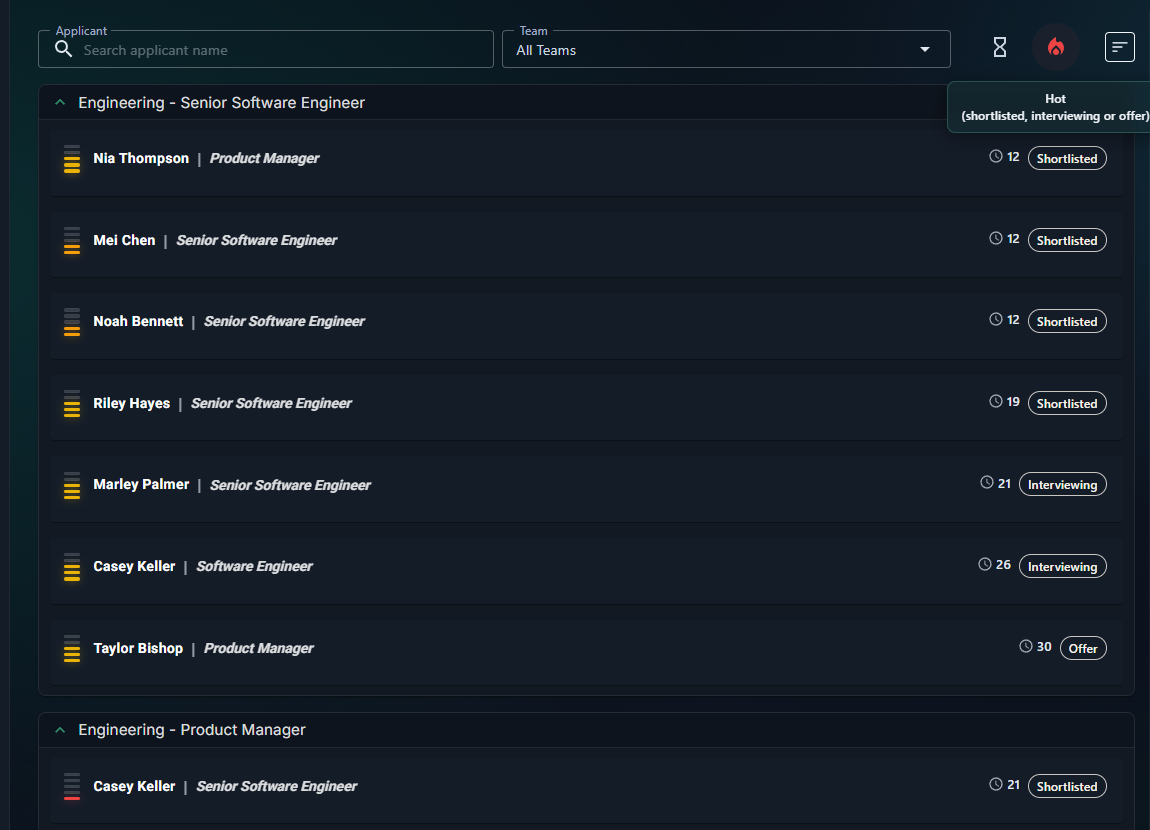
- Open the Role Opening and select Applicants.
- Clear old filters, then filter by application stage, match band, or search text to create a manageable review group.
- Start with applicants needing review. Do not use a low band as an automatic rejection rule.
- Choose a consistent sort order and keep it for the review session.
To invite more applicants, select the link icon labeled Copy link to clipboard in the dashboard header. It copies the opening's public application link immediately and shows a confirmation message.
Review an applicant
- Open the applicant profile.
- Read Snapshot first for orientation, then inspect the underlying tabs rather than relying on the summary alone.
- Review the match-band breakdown across skills, salary alignment, experience depth and recency, values, profile strength, and hirer questions.
- Open Skills to check direct and related skill evidence. Look for the activities that support each claim.
- Review the candidate's answers, motivation, alignment, and RoleSage analysis where available.
- Record useful team notes with the correct visibility. Keep private or restricted information out of broadly visible notes.
- Choose the appropriate next action: progress, hold, request more information, reject, or add to the Talent Pool.
Work as a team
- Apply the same evidence standard to every applicant.
- Treat missing candidate-controlled information as unknown, not negative evidence.
- Discuss material disagreements and record the reasoning that future reviewers will need.
- Recalculate only when the underlying Role, Opening, or candidate evidence has changed.
Check the result
Return to the Applicant Dashboard. The applicant should appear in the intended stage and the team should be able to see the appropriate notes and next action.
Next step
For progressing applicants, follow Schedule and run interviews. For unsuccessful applicants, use Reject applicants and track candidate responses.
If candidates appear to be missing, see Applicant dashboard filtering. If a band still looks wrong after checking the inputs, see Applicant match band looks wrong.